Everything the app does, on one page: what to enter, what each number means, and the routine that keeps the plan honest. Bring a skeptical eye — every claim here is checkable in the app.
You do not need your full financial history, and you should not guess the rest. Enter what affects the next few weeks and let the plan grow from there:
Accounts and balances. The cash, debts, and balances that matter. These are the starting values every projection runs from.
Expected income. What you expect, when you expect it. It stays labelled as expected until you confirm what actually arrived.
Required commitments. Bills, debt minimums, savings contributions. Required items are protected before anything is called available — that ordering is the whole product.
Goals and changes. Purchases, savings targets, temporary changes. Add a decision before it happens to see what it displaces.
02
The planning model.
Every dollar in Clearflow sits in one of four states. The states are the model — learn them once and every screen makes sense:
Expected
Income, bills, payments, and goals you have planned but not confirmed. A forecast, not a promise.
Protected
Required commitments plus your safety buffer. Subtracted first, before anything is treated as available.
Optional
Extra debt payments, flexible spending, purchases. These compete for what remains — visibly.
Confirmed
Activity you reviewed and marked as real. Confirming updates the forecast instead of rewriting history.
Clearflow does not throw the plan away at month-end. A month is a useful view; the dated ledger underneath is what connects one month to the next — which is why a bill landing before payday shows up as a problem even when the monthly total looks fine.
03
The screens.
One plan, four views. Open the one that matches the question in front of you.
Dashboard · Living Plan
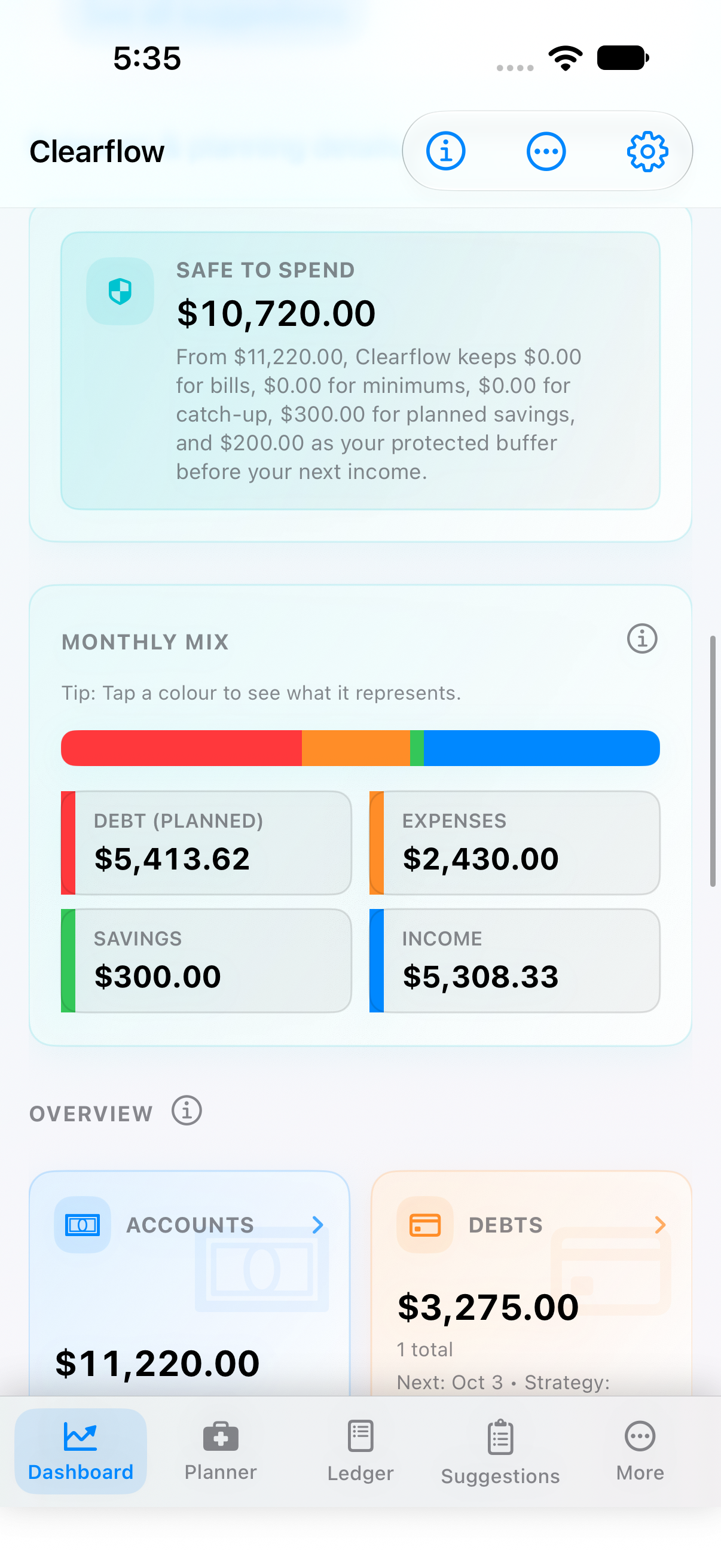
Can I safely move money right now?
Plan status, Safe to Spend with the assumptions underneath it, and the monthly mix across income, expenses, debt, and savings. The explanation stays next to the number — if you cannot see what is protected, you do not know what is available.
Safe to Spend is not your bank balance.
Planner · Strategies
Which payoff path fits the plan?
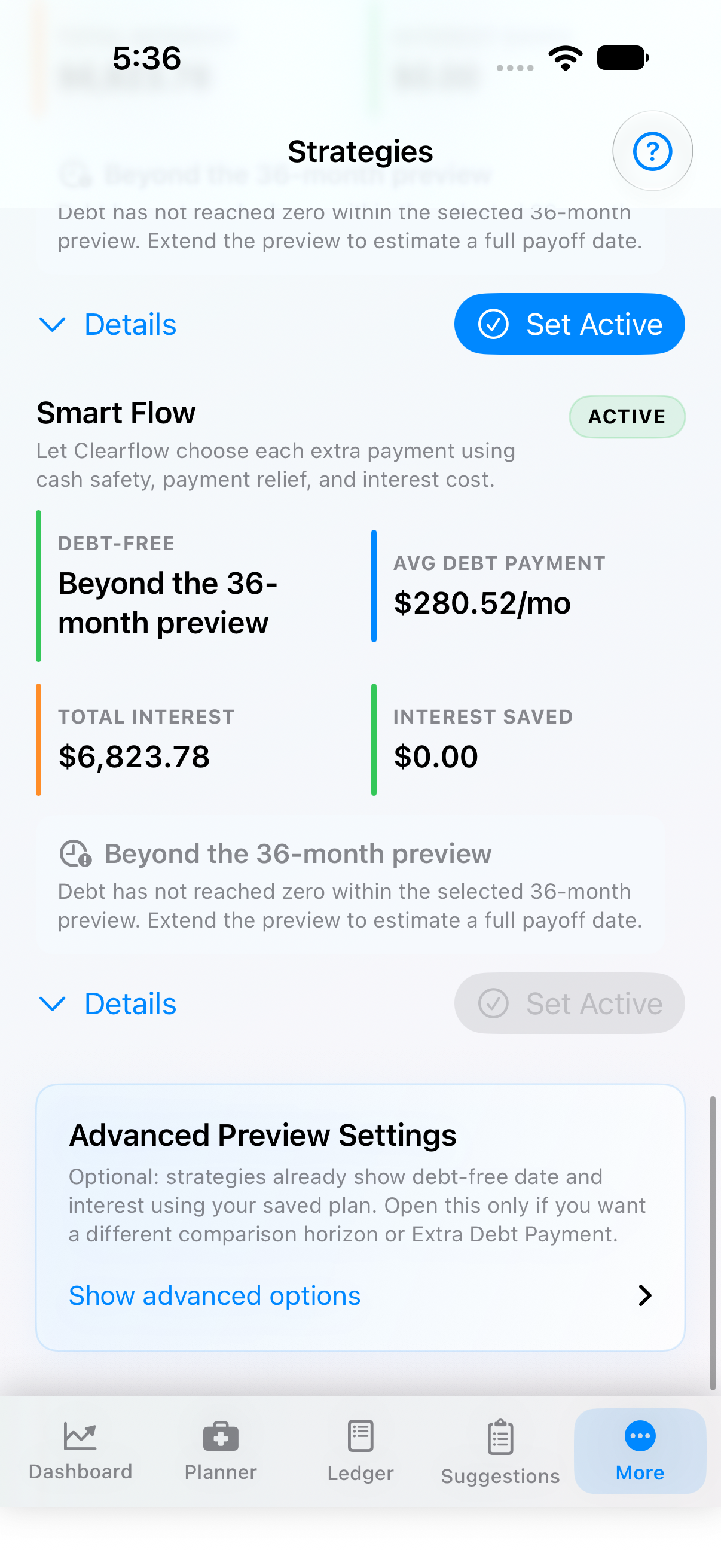
Run payoff options against the current plan before making an extra payment — timing, interest, and the cash you need to keep, side by side. Set a strategy active only after the tradeoff makes sense.
Compare before you commit the extra payment.
Ledger
What is expected, confirmed, or changing?
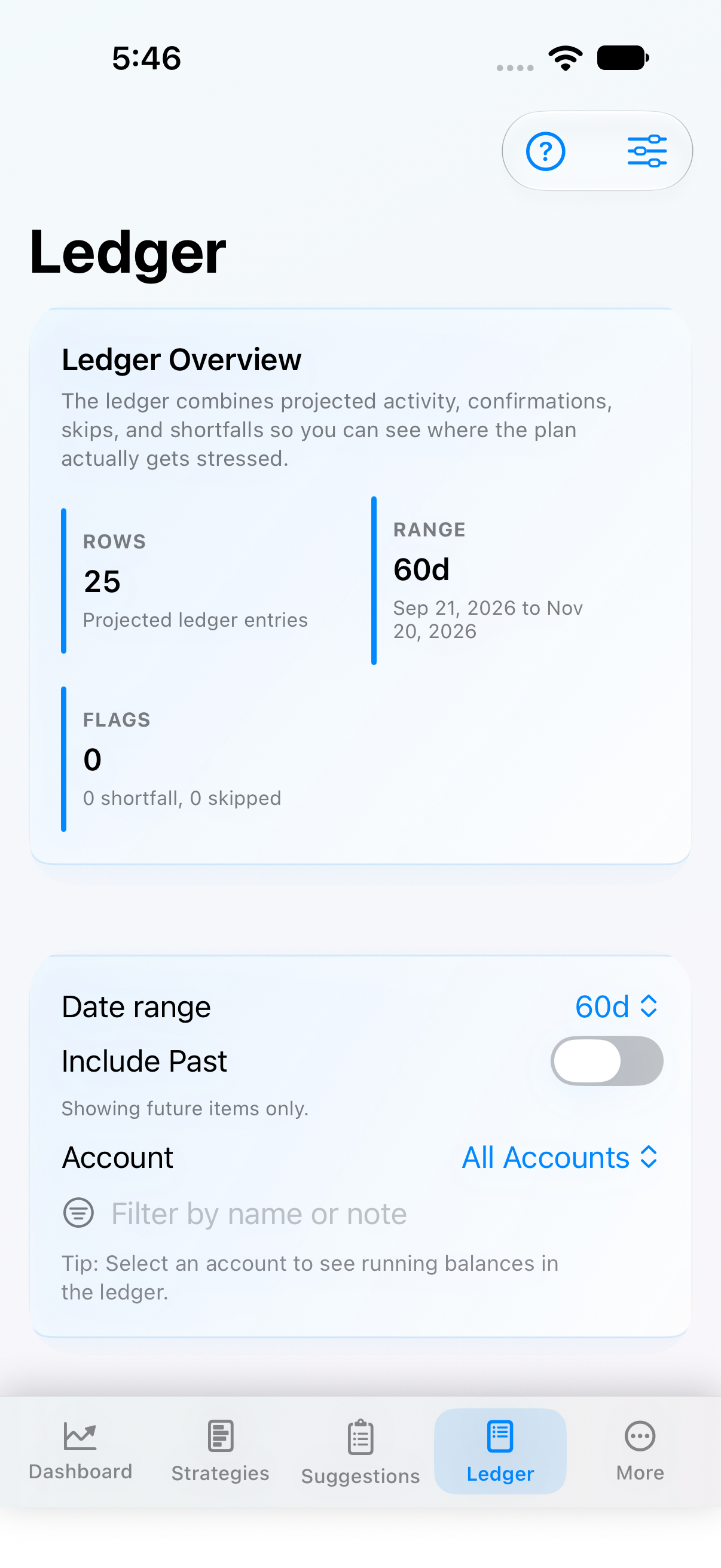
The dated timeline behind every summary. Projected rows stay labelled, confirmed activity separates from estimates, and skipped items remain understandable. When a number looks wrong, this is where you trace it.
The forecast, with its work showing.
Suggestions · More
What should I review next?
Optional next steps, surfaced as prompts — not warnings. Accept, dismiss, or revisit; you remain in control.
04
The weekly routine.
You do not rebuild the plan every month. Four habits keep it current:
When income arrives — confirm the event if the amount and date are known, so the plan separates what happened from what is still expected.
Before a large payment — check Safe to Spend and read the protected amount. If the purchase changes a future obligation, add it to the plan first.
When priorities change — compare the impact with Strategies, savings, or the purchase planner instead of guessing.
At review time — open the ledger, filter the period, confirm or adjust what changed, and leave the next few weeks understandable.
05
Reading the numbers.
A forecast is not a promise. Three labels do most of the work:
Safe to Spend
What remains after protected commitments. Not your bank balance, not a spending target — the amount the plan can defend.
Projected vs confirmed
Projected is still expectation; confirmed is reviewed reality. Keep them separate when the decision has consequences.
Beyond the preview
The current window is too short to show the full result. Extend it before treating a payoff date as known.
Clearflow exposes its assumptions on purpose, so you can decide how much confidence a number deserves. Planning software, not financial, legal, tax, or investment advice — and a forecast is only as reliable as the amounts, dates, and balances behind it.
The short version
Know what's covered. Then decide.
That's the whole product — and this page is the whole manual.